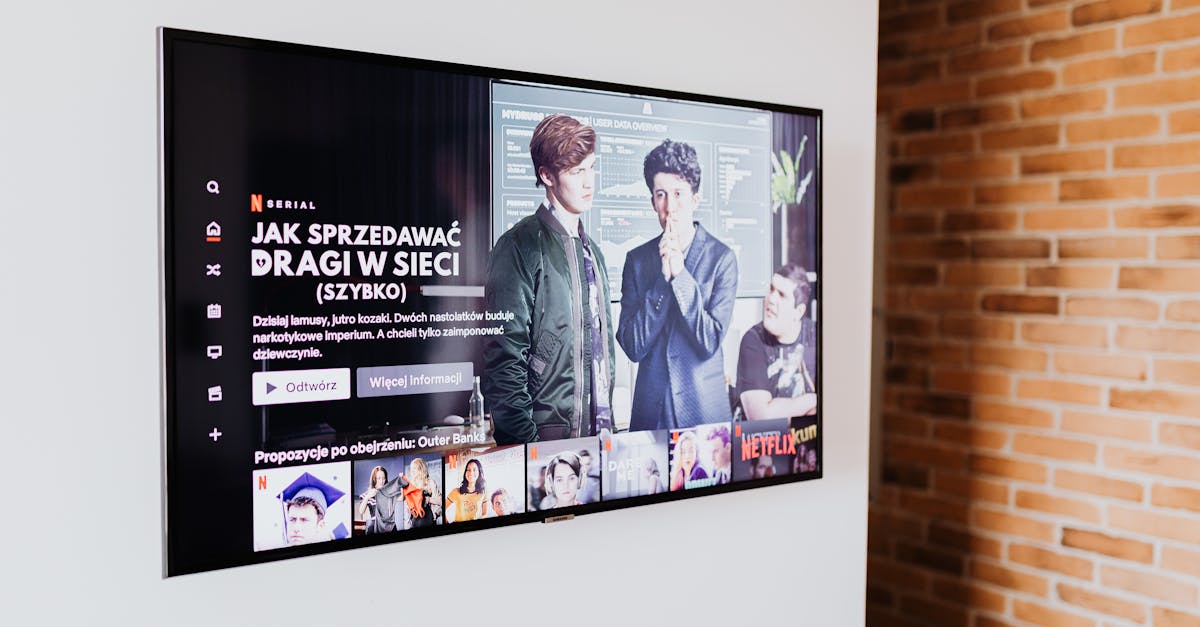
7 Overlooked Reasons Your Smart TV Isn't Actually Smart
You bought a ‘smart’ TV expecting a seamless, integrated entertainment hub. You envisioned quick app launches, intuitive voice control, and a future where your remote was almost obsolete. Instead, you’re wrestling with sluggish menus, apps that crash, and a constant sense that your expensive new television is more of a glorified monitor than the intelligent centerpiece of your living room. In my experience, this frustration is incredibly common, and it’s not because you’re doing something wrong. The mistake I see most often is that people assume ‘smart’ means effortless, when in reality, the underlying technology and how it interacts with your home environment often creates more headaches than it solves. What changed everything for me was digging beyond the marketing hype and understanding the specific, often overlooked, technical and behavioral reasons why these devices fall short. It’s about recognizing that the ‘smart’ in smart TV comes with asterisks, and that true intelligence often requires a bit of strategic intervention on your part.
Key Takeaways
- Your smart TV’s processor speed and RAM significantly impact its performance, often being underpowered for seamless multitasking.
- An overloaded app library or insufficient internal storage can bog down your smart TV, making it feel sluggish.
- The quality and stability of your home Wi-Fi network are often the biggest bottlenecks for smart TV functionality.
- Outdated firmware or software bugs can cause frustrating performance issues that are easily overlooked.
- Data collection and background processes on your smart TV consume resources and can lead to a slower user experience.
- Many smart TV interfaces are poorly optimized, leading to a clunky and unintuitive navigation experience.
- External streaming devices often provide a superior ‘smart’ experience due to dedicated hardware and optimized software.
Underpowered Internal Hardware Leads to Sluggish Performance
When you’re browsing televisions at the store, the focus is almost always on screen size, resolution (4K, 8K), and picture quality features like HDR. What rarely gets highlighted, however, is the actual processing power under the hood. In my experience, most mid-range and even some premium smart TVs come equipped with processors and RAM that are barely adequate for their demanding operating systems and array of apps. Think of it like buying a powerful gaming PC but installing an entry-level processor and only 4GB of RAM – it simply won’t keep up with the demands you place on it. You’ll notice this most acutely when navigating menus, switching between apps, or trying to multitask (like browsing the web while a show is paused). Instead of a snappy response, you get lag, stuttering animations, and frustrating delays. For a truly smooth experience, a TV needs a robust multi-core processor and ample RAM (ideally 4GB or more for a modern smart TV) to handle multiple background processes, high-resolution streaming, and complex user interfaces simultaneously. When these specifications are low, which is often the case, the ‘smart’ aspect immediately feels compromised.
Your App Library is Overloaded and Unmanaged
Just like your smartphone or computer, the more apps you install and the less free storage you have, the slower your device becomes. Smart TVs are no different. Many users, myself included initially, tend to download every streaming service, game, and utility app they might someday use. This rapidly fills up the TV’s limited internal storage. Even if you’re not actively using an app, many smart TV operating systems allow them to run background processes, check for updates, or maintain cached data. This constant activity drains valuable RAM and processor cycles, contributing to the overall sluggishness. What changed everything for me was performing a digital declutter on my smart TV – uninstalling any app I hadn’t used in the last month and disabling background refresh where possible. I also started being more intentional about what I installed. By treating your smart TV’s app library with the same care you would your phone’s, you can significantly improve its responsiveness and keep its ‘smart’ features feeling agile rather than bogged down.
Your Wi-Fi Network is a Hidden Bottleneck
Many smart TV problems aren’t actually the TV’s fault at all, but rather stem from an inadequate home Wi-Fi network. Smart TVs are incredibly reliant on a stable, fast internet connection for almost all their ‘smart’ functionality – streaming 4K content, downloading app updates, voice commands, and even just navigating through app stores. The mistake I see most often is people assuming that because their phone or laptop works fine in the same room, the TV should too. However, TVs are often placed in less-than-ideal locations for Wi-Fi reception (behind other electronics, far from the router, or in an entertainment center). Older routers, congested Wi-Fi channels, or even interference from other devices (like microwaves or cordless phones) can create a weak, intermittent connection. This manifests as buffering, slow app loading times, or voice commands that fail to register. What changed everything for me was connecting my smart TV via an Ethernet cable whenever physically possible. If that’s not an option, consider upgrading your router, ensuring it supports modern Wi-Fi standards (Wi-Fi 5 or Wi-Fi 6), and strategically placing it for optimal coverage. Even a simple Wi-Fi extender can make a significant difference in delivering a consistent signal to your TV, allowing its smart features to perform as intended.
Outdated Firmware and Software Bugs Create Instability
Just like any other piece of complex software, smart TV operating systems are constantly being updated by manufacturers to fix bugs, improve performance, and add new features. The problem is that many users neglect these updates, either intentionally to avoid changes, or simply because they’re unaware. In my experience, a significant portion of smart TV ‘dumbness’ can be attributed to running outdated firmware. These older versions might contain memory leaks, processor inefficiencies, or compatibility issues with newer app versions or streaming protocols. This leads to apps crashing, unexpected reboots, or general instability that makes the ‘smart’ experience incredibly frustrating. What changed everything for me was setting my TV to automatically download and install updates overnight. If automatic updates aren’t an option, make it a quarterly habit to manually check for and install any pending updates. A simple software refresh can often resolve a host of mysterious performance issues, breathing new life into your seemingly sluggish smart TV.
Background Data Collection and Resource Hogs
Many smart TVs, especially those from major manufacturers, are designed to collect user data, display targeted advertising, and run various background processes that you might not even be aware of. This isn’t necessarily malicious, but it definitely consumes valuable system resources – processor cycles, RAM, and network bandwidth. These processes are constantly running, even when you’re just watching regular cable TV, and can contribute to a feeling of overall sluggishness. Think of it like having dozens of apps running silently on your computer, slowing everything down. What changed everything for me was diving deep into the privacy settings of my smart TV and disabling as many data collection, personalized advertising, and usage tracking options as possible. While you might not be able to turn off everything, minimizing these background resource hogs can noticeably improve the TV’s responsiveness. It’s about taking control of your device’s hidden functions and reclaiming its resources for your actual entertainment.
Poorly Optimized and Clunky User Interfaces
Beyond raw processing power, the design and optimization of the smart TV’s user interface (UI) itself can make or break the ‘smart’ experience. In my experience, many manufacturers prioritize cramming in as many features and app shortcuts as possible, rather than designing for fluid navigation and ease of use. This often results in bloated, unintuitive menus that require too many clicks to get where you want to go. Animations might be poorly rendered, search functions might be slow, and the overall aesthetic can feel dated or cumbersome. Some UIs are simply not designed to be fast, regardless of the underlying hardware. What changed everything for me was recognizing that some built-in UIs are simply inferior and not worth fighting. Rather than struggling with a clunky interface, I shifted to using external streaming devices like an Apple TV, Roku, or Fire TV stick. These devices often have dedicated, highly optimized hardware and software specifically designed for a seamless streaming experience, bypassing the TV’s less polished interface entirely. It’s a small investment that can dramatically improve your daily interaction with your entertainment setup.
Relying on External Streaming Devices for True ‘Smartness’
Ultimately, the most effective way to address the limitations of your smart TV’s built-in features, in my experience, is to simply stop relying on them entirely. Despite the marketing, many smart TVs are still just a good panel with a mediocre computer attached. External streaming devices, on the other hand, are purpose-built for delivering a fast, responsive, and feature-rich streaming experience. Companies like Roku, Amazon (Fire TV), Google (Chromecast with Google TV), and Apple (Apple TV) invest heavily in optimizing their hardware and software for media consumption. This means faster processors, more RAM, and operating systems designed from the ground up for seamless streaming and app management. What changed everything for me was plugging in a high-quality external streaming device and realizing the difference in speed, stability, and overall user experience was night and day. It bypassed all the internal hardware limitations, UI clunkiness, and background processes of the TV itself. If your smart TV feels anything less than perfectly smart, consider offloading its ‘brain’ function to a dedicated, external device. You’ll likely find the experience far more aligned with what you originally envisioned.
Frequently Asked Questions
How can I tell if my smart TV’s processor is underpowered?
If your TV often lags when navigating menus, takes a long time to switch between apps, or apps frequently crash or freeze, these are strong indicators of an underpowered processor or insufficient RAM. You might also notice poor performance with more demanding apps or high-bitrate 4K content.
Is it better to connect my smart TV via Wi-Fi or Ethernet?
Whenever possible, connecting your smart TV via an Ethernet cable (wired connection) is superior. It provides a more stable, faster, and less interference-prone connection than Wi-Fi, which is crucial for high-resolution streaming and app performance. If Ethernet isn’t feasible, ensure your Wi-Fi router is modern and well-placed.
How often should I update my smart TV’s software?
Ideally, you should enable automatic updates for your smart TV to ensure it’s always running the latest firmware. If automatic updates aren’t available, make it a habit to manually check for and install updates at least quarterly. These updates often include performance improvements and bug fixes.
How can I stop my smart TV from collecting my data?
Most smart TVs have privacy settings within their menu. Look for options related to
Written by Sarah Jenkins
Lifestyle & Practical Living
A passionate home cook and budget enthusiast, Sarah specializes in making everyday living both delightful and economical.
You Might Also Like
5 Counterintuitive Reasons Your Smart TV Is Slower Than Advertised
Uncover the surprising reasons your smart TV lags, even if it's new. Learn actionable steps to restore speed and responsiveness for a better viewing experience.
Six Months Without Hair Conditioner: My Unexpected Shift in Hair Health
After years of conditioning, I cut it out entirely for six months. My hair's transformation was surprising, leading to less grease and more natural volume.
Secure Bluetooth Earbuds From Eavesdropping in Public Without Buying New Gear
Learn to secure your Bluetooth earbuds from eavesdropping in public by adjusting settings and habits, not buying new devices.